Agent Features How to Use Pricing App & API FAQ Sign Up Free
โ—† Powered by Meshy 6 - Newest AI Engine

The Easiest Way to Create 3D Models with Meshy AI

Meet Meshy AI, the world's most popular and intuitive free AI 3D model generator. Transform text and images into stunning 3D models in seconds with the text & image to 3D tool - no experience required.

Start Creating โ†’ See How It Works

Trusted by 10M+ creators ยท 100M+ models generated ยท Export to Blender, Unity, Unreal, Godot, Roblox & 3D printers

๐ŸŽฌ
Film
Production
๐Ÿ”ง
Product
Design
๐ŸŽ“
Education
๐ŸŽฎ
Game
Development
๐Ÿ–จ๏ธ
3D Printing
๐Ÿ•ถ๏ธ
VR / AR
๐Ÿ›‹๏ธ
Interior
Design


What is it?

What is Meshy AI?

Meshy is an AI 3D model generator that turns text prompts or 2D images into fully textured, export-ready 3D assets in about a minute with no 3D modeling skills required.

It covers the whole pipeline: generation, PBR texturing, Smart Remesh retopology, auto-rigging and animation. The platform is built for 3D artists, game developers, 3D-printing hobbyists, XR prototypers, students and product teams who need speed and iteration over hand-crafted perfection.

Generated models can drop straight into Blender, Unity, Unreal Engine, Godot, Roblox, Houdini and ComfyUI or go to a 3D printer.


Meshy 6: Best Image to 3D Tool

Meshy 6 is Meshy's newest and highest-fidelity AI engine, generating detailed meshes with up to ~600K faces from text prompts or 1โ€“8 reference images (Meshy 4 and 5 remain selectable). In a 1,331-vote blind evaluation by senior NetEase and Tencent 3D artists, Meshy 6 output was preferred 63.8% of the time over its closest rival making it one of the strongest production-ready 3D engines available in 2026.

๐Ÿ“

Text to 3D

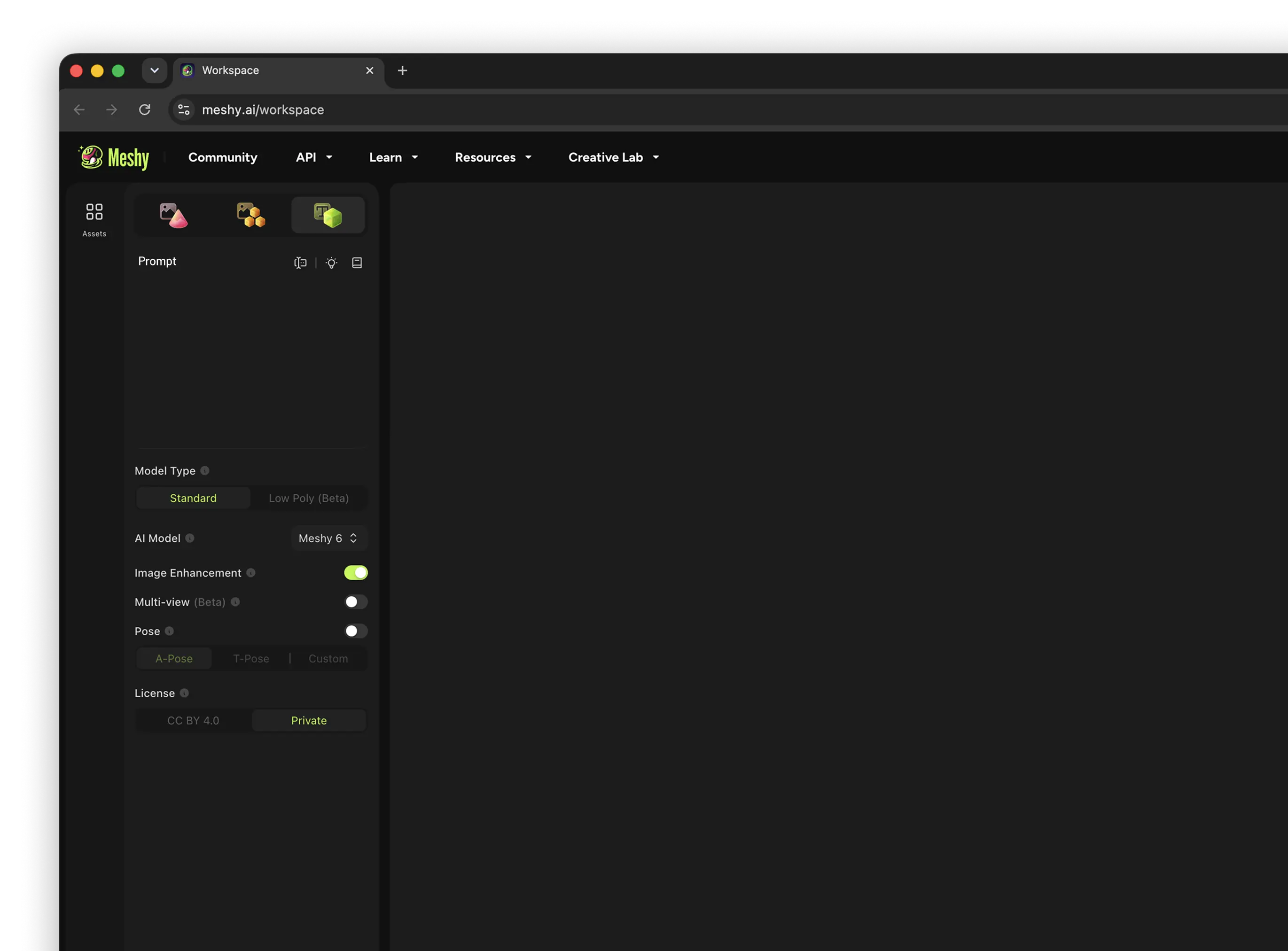
Describe an idea in any language (up to 800 characters) and get a textured model.

๐Ÿ–ผ๏ธ

Image to 3D

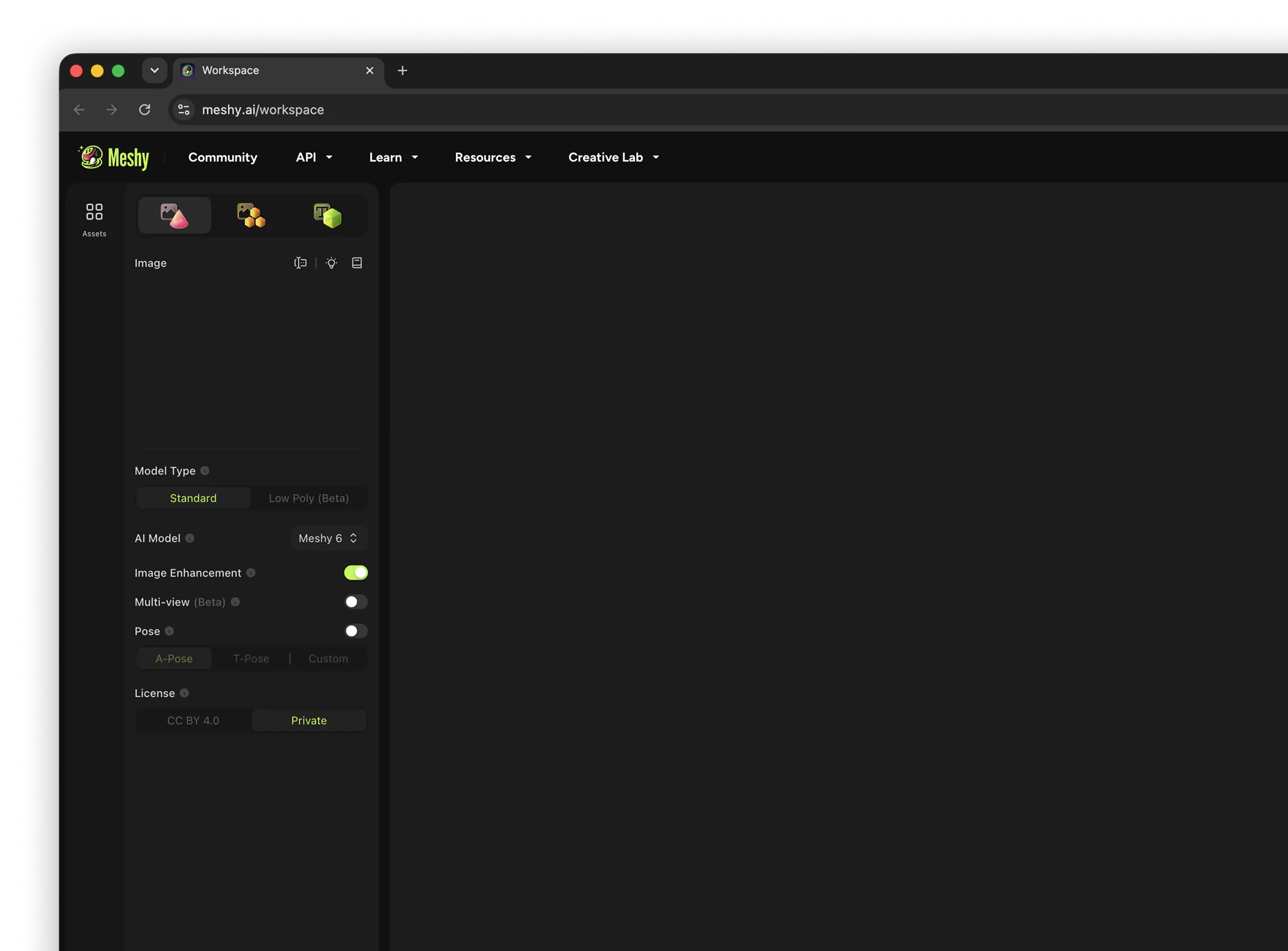
Upload 1โ€“8 photos, sketches or concept views and watch them become a 3D model.

๐ŸŽจ

AI Texturing

Apply PBR surface detail from a prompt or reference image.

๐Ÿค–

3D Agent

An AI assistant that brainstorms, batches and keeps styles consistent across asset packs.


Why Meshy AI?

Why creators choose Meshy AI

It compresses the slow, early-and-middle stages of 3D production concepting, modeling, UVs, texturing into minutes.

01

No skills needed

Make production-ready assets from a simple prompt or image no specialised modeling training.

02

Minutes, not days

Lightning-fast generation cuts hours of manual modeling and texturing down to a single minute.

03

Up to 100ร— cheaper

Create thousands of assets at a fraction of traditional cost for scaled 3D content.

04

Full PBR output

Diffuse, Roughness, Metallic and Normal maps drop straight into a real engine.

05

Engine-ready exports

FBX, OBJ, GLB, STL & USDZ, plus official plugins for Blender, Unity, Unreal, Godot, Roblox, Houdini and ComfyUI.

06

Full workflow

Generate โ†’ retexture โ†’ Smart Remesh โ†’ auto-rig โ†’ animate โ†’ export, all in one place. SOC 2 & ISO 27001 certified.


Things to do

What you can make with Meshy AI

From characters and props to environments and printable objects, Meshy's AI toolset handles the entire 3D creation workflow.

๐Ÿ“

Text to 3D

Type a description and get a textured model in ~60 seconds. Meshy 6 delivers the highest fidelity (up to ~600K faces), with Low Poly options for game-ready meshes and a prompt helper.

๐Ÿ–ผ๏ธ

Image to 3D

Turn a single photo or 2โ€“8 views of the same object into a proportionally accurate 3D model, with pose control (A / T / custom) and automatic printability checks.

๐ŸŽจ

AI Texturing

Retexture any model generated or uploaded in any art style using a prompt or reference image, with a full PBR map set.

๐Ÿฆด

Auto-Rigging & Animation

Add humanoid or quadruped skeletons in ~30 seconds and apply 500+ game-ready motion presets (walk, run, fight). Rigging and animating currently cost 0 credits.

๐Ÿ”ป

Smart Remesh & Optimize

Automated retopology rebuilds clean polygon flow adjust polycount, switch triangle/quad topology, and optimise for mobile, VR or high-end cinematics.

๐Ÿค–

Meshy 3D Agent

Brainstorm with an AI assistant that generates concepts in batches and keeps styles consistent across a themed set perfect for filling scenes and asset packs.


How to use

From idea to 3D in 4 steps

No download needed to start Meshy AI runs in your browser, plus iOS & Android apps.

Sign up free

Create a free account at meshy.ai no credit card required. You get 100 monthly credits (~5 full generations) to start.

Describe or upload

Type a short text prompt or upload a clear image / sketch. Pick a style and detail level.

Generate & refine

Meshy AI returns several textured results in ~60s. Retexture, remesh, rig or animate as needed.

Preview & export

Preview in the browser, then export to GLB/FBX/OBJ/STL/USDZ for your engine, editor or 3D printer.


Start Creating โ†’


โ–ถ Watch the full workflow


Pricing ยท Subscription ยท Credits

Plans, credits & how billing works

Meshy runs on a credit system. In 2026 the individual lineup is Free, Pro, Premium and Ultra; Studio and Enterprise are team plans (minimum 2 seats). New Pro, Premium or Ultra subscribers get 50% off the first month.

๐Ÿ’Ž 20 credits per generation

A full Text-to-3D or Image-to-3D generation costs 20 credits (mesh + texture). Failed tasks aren't charged and cancelled tasks are refunded. Rigging and animation currently cost 0 credits.

๐Ÿ” Monthly reset

Plan credits reset on the 1st of each month (00:00 UTC) and do not roll over. Purchased credit packs give permanent credits that never expire.

๐ŸŽ‰ First-month & annual savings

New Pro / Premium / Ultra subscribers get 50% off the first month, and annual billing saves roughly 20% versus month-to-month.

Free
Hobbyists & newcomers exploring 3D AI
$0/mo
No credit card needed
  • 100 credits / month (~5 generations)
  • 1 task in queue ยท low priority
  • 10 downloads/mo (Meshy 5 models only)
  • Meshy 6 can be generated, not downloaded
  • Assets under CC BY 4.0 license
Start Free
Premium
Power users creating at high volume
Live price โ†—
50% off first month ยท ~20% off annually
  • 3,000 credits / month (~150 generations)
  • Everything in Pro
  • Higher throughput for busy months
  • Creative Lab shipping coupons included
Get Premium
Ultra
The most demanding individual workflows
Live price โ†—
50% off first month ยท ~20% off annually
  • 10,000 credits / month (~500 generations)
  • Everything in Pro & Premium
  • Maximum individual credit allowance
  • Top execution priority
Get Ultra

๐Ÿ‘ฅ Studio (team plan)

$60/seat/mo (โ‰ˆ$48/seat annually) with 4,000 credits per seat, 20 concurrent tasks, team management & shared billing. Minimum 2 seats since June 16, 2026 individual accounts can no longer upgrade directly from Pro to Studio.

๐Ÿข Enterprise

Custom pricing with customizable credits, 50+ concurrent tasks, highest-throughput API, SAML SSO, multi-workspace management and dedicated support.

๐ŸŒ Starter (select regions)

A budget entry plan with 250 credits/month, available in select developing countries as an affordable way into Meshy's core features. Check availability on the official pricing page.

๐ŸŽ“ Meshy AI for Students & Educators

Verified students get 1 free month of Pro, then just $5.99/month for up to 12 months (13 months total). Educators can get the Studio plan at a discount. Apply with a valid school (.edu) email verification takes about 3 business days.

Apply Discount Now โ†’


Is Meshy AI free?

Yes there's a genuinely free plan, plus ways to try Pro.

  • Free forever plan: $0, no card needed, with 100 credits/month and 10 Meshy 5 downloads/month.
  • Free assets are CC BY 4.0 commercial use is allowed with attribution to Meshy.
  • 50% off first month: all new Pro, Premium or Ultra subscribers get half off; students get the first Pro month free, then $5.99/mo.
  • No free unlimited: private assets, API, unlimited downloads and Meshy 6 downloads need a paid plan.

Limitations to know

Honest constraints before you commit.

  • Free download cap: 10 downloads/month, Meshy 5 models only Meshy 6 models generate but won't download on Free.
  • Credits don't roll over each month unless you buy a credit pack (permanent credits).
  • Iteration costs: unsatisfying (but successful) generations still spend credits budget roughly double your planned credit use for retries.
  • AI quirks: faces, hands/fingers, thin parts and complex anatomy can distort; results suit props, prototyping & iteration more than final hero assets.
  • Queue limits & priority are lower on free/cheaper tiers.


Meshy 3D Agent Beta

Meshy 3D Agent

Meshy 3D Agent is an AI-powered 3D creation assistant designed to help users generate, edit, and refine 3D models faster. It brainstorms with you, generates concepts in batches, and keeps styles consistent across a whole set ideal for filling out a scene or a themed asset pack. With Meshy 3D Agent, creators, game developers, designers, and digital artists can speed up their workflow and bring creative concepts to life more easily.


App ยท API ยท Download

Use Meshy AI anywhere

Run it in your browser, on mobile, or build it into your own product with the API.

๐Ÿ“ฑ Meshy AI App

The mobile app puts a 3D creation studio in your pocket. Snap or upload a photo, sketch, or describe an idea and get a textured, print-ready model no desktop needed. Powered by the Meshy 6 engine.

๐Ÿ”Œ Meshy API

Wire the full generation stack text-to-3D, image-to-3D and texturing into your own app, marketplace or pipeline. Available on Pro and above, with plugins for Blender, Unity, Unreal, Godot, Roblox, Houdini & ComfyUI.

POST https://api.meshy.ai/v2/text-to-3d Authorization: Bearer <YOUR_API_KEY> { "mode": "preview", "prompt": "a whimsical fox explorer", "art_style": "realistic" }


๐Ÿ” Security & data

Meshy AI states it takes data security seriously.

  • Certified: Meshy is SOC 2 and ISO 27001 certified audited security controls for enterprise use.
  • Cloud storage: web-app data is stored securely with Amazon Web Services in the United States.
  • No training without consent: Meshy AI says it will not share your data or use it for training purposes without your consent.
  • Enterprise controls: SAML SSO, multi-workspace management and API asset retention on the Enterprise plan.
  • Always check the latest official Terms of Use & Privacy Policy for current details.

๐Ÿ“œ Ownership & licensing

Who owns what you create.

  • Paid plans: you own the assets you create and have full rights to distribute and sell them.
  • Free plan: assets are granted under a CC BY 4.0 license commercial use allowed with attribution to Meshy.
  • Your responsibility: ownership applies provided your inputs don't infringe others' copyrights.


FAQ

Frequently asked questions

What is Meshy AI in one line?

An AI 3D model generator that turns text prompts and images into fully textured, export-ready 3D models in about a minute no 3D modeling experience required.

What plans does Meshy offer in 2026?

Individual plans: Free (100 credits/mo), Pro (1,000 credits), Premium (3,000 credits) and Ultra (10,000 credits) all paid individual plans share the same core features (API, unlimited downloads, commercial rights); only the credit amount differs. Team plans: Studio (min 2 seats) and Enterprise. A budget Starter plan (250 credits) exists in select developing countries.

Does Meshy AI use credits or tokens?

Credits. Each full generation costs 20 credits (mesh + texture), and credit costs are identical on every plan. Rigging and animation currently cost 0 credits. Plan credits reset monthly and don't roll over unless you buy a credit pack (which gives permanent credits). Failed tasks aren't charged.

Is there really a free plan?

Yes. The Free plan is $0 with no credit card, giving 100 credits/month (~5 full generations) and up to 10 downloads/month of Meshy 5 models. Meshy 6 models can be generated but need a paid plan to download. Free assets are licensed CC BY 4.0.

Are there any discounts?

Yes all new subscribers on Pro, Premium or Ultra get 50% off their first month, and annual billing saves roughly 20%. Students get the first month of Pro free via the Education Plan, then $5.99/month for up to 12 months.

How do I get the student discount?

Apply at meshy.ai/education with a valid school (.edu) email and fill out the short form. Verification usually takes about 3 business days, then your discounted Pro access unlocks.

Can I use Meshy AI models commercially?

On any paid plan (Pro, Premium, Ultra, Studio, Enterprise) you own the assets you create and can distribute or sell them, provided your inputs don't infringe others' copyrights. Free-plan assets are CC BY 4.0 commercial use is still allowed with attribution to Meshy.

What can I export to?

Common formats include GLB, FBX, OBJ, STL and USDZ, ready for Blender, Unity, Unreal Engine, Godot, Roblox, Houdini, ComfyUI and 3D printers. Meshy AI offers official plugins for all of these ecosystems.

Is there an app and an API?

Yes Meshy AI has iOS and Android apps plus a full web app, and an API (Pro and above) documented at docs.meshy.ai for building 3D generation into your own products.

How is my data handled?

Meshy is SOC 2 and ISO 27001 certified. Web-app data is stored with Amazon Web Services in the US, and Meshy AI states it won't share your data or use it for training without your consent. Always review the current official policies for specifics.


Turn your idea into a 3D model today

Join 10M+ creators using the world's most popular AI 3D model generator. Start free no experience required.

Start Creating โ†’